Private proposal for Mister Maquinaria · Jerry Contreras
A Machines for Sale section for your own website
Mr. Bret, you asked whether machine listings can be added to mistermaquinaria.com and what it takes. Yes, it can be done. I built a working preview with your logo, your colors and your 10 categories, so you can click through it before deciding anything.
$100 flatEverything listed under “Included”. I confirm it fits your site before you pay anything.
First version this weekendSaturday Nov 7 and Sunday Nov 8, once I have temporary access to your WordPress.
You add machines yourselfOne “Add machine” screen in your WordPress panel: fields, photos, Publish.
01 · Where your site stands today
A buyer who clicks Machines for Sale sees zero machines
Machines for Sale opens used-machines.mistermaquinaria.com, a separate Mascus page with “Copyright 2018” at the bottom. All 10 categories show (0) as of Nov 5, 2026.
Wheel Loaders
Backhoe-Loaders
Crawler Tractors (Dozers)
Excavators
Motor Graders
Off-Highway Trucks
Compact Machines
Road Machinery
Crushing & Aggregates
Miscellaneous
A listing page was started and left empty. mistermaquinaria.com/plantilla-de-equipo-usado/ exists with the title “used equipment template” and the text “Content here…”. The Contact link on the Mascus page points to a showroom address that returns an access-denied (403) page today.
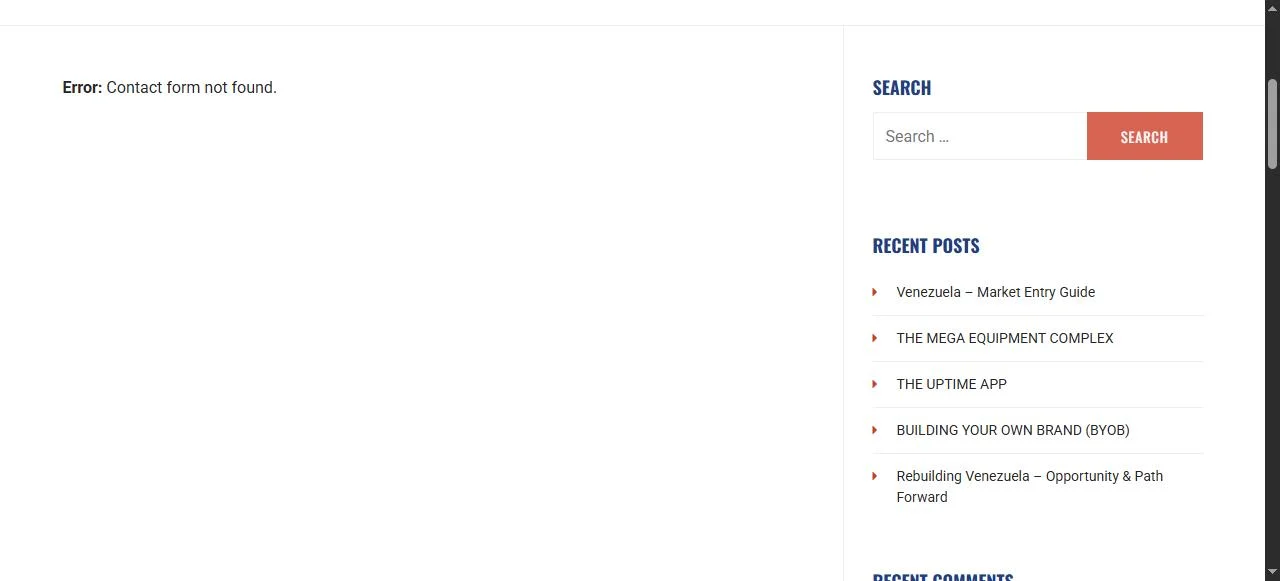
The Contact page shows “Error: Contact form not found” where the form should be. The home page shows the same line under “Have a question about machinery?”.
The base is sound: WordPress 6.6.11 and WPML (the English/Español menu) are installed. The Contact Form 7 plugin is installed too, and the form it points to is the one that went missing.
I only looked at the public site. I have not seen your WordPress panel yet. That is the first thing I check after you say go, and I tell you before charging anything if the new section does not fit.
Your Contact page, Nov 5, 2026.
02 · The preview
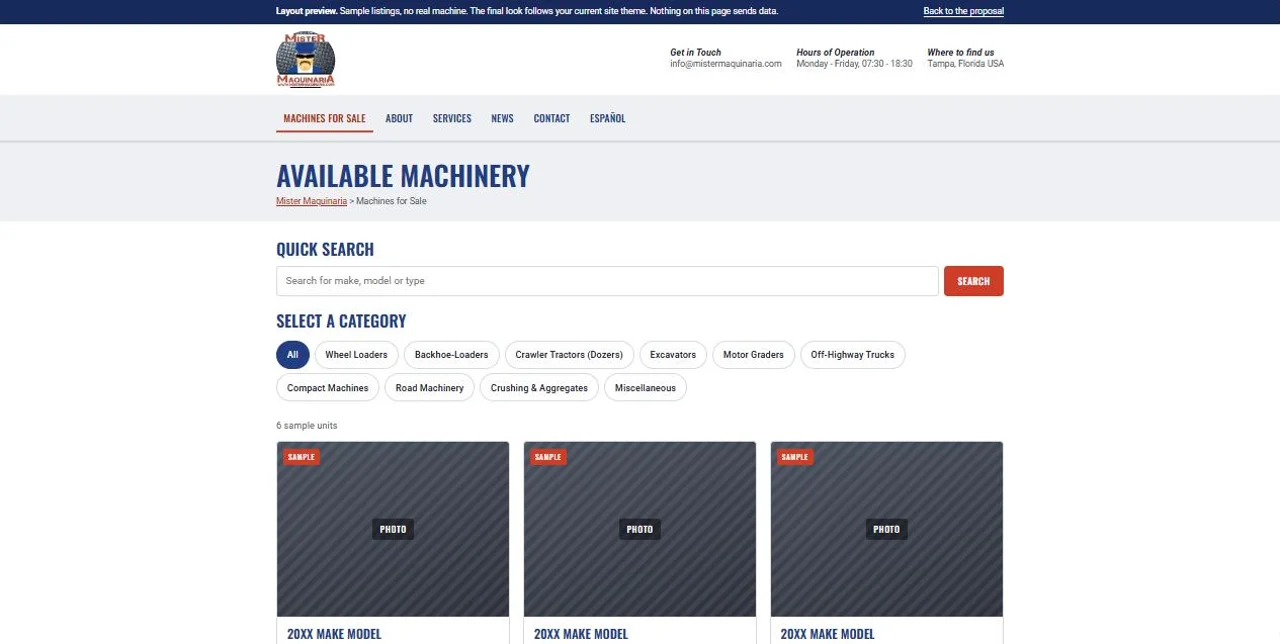
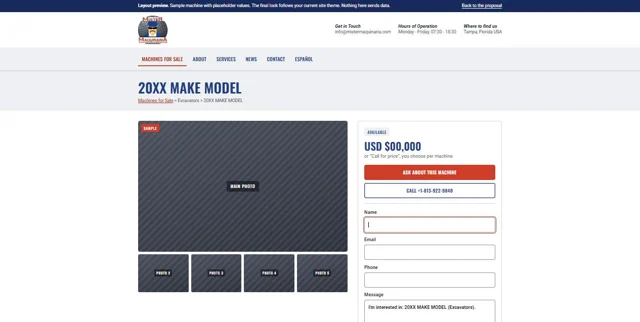
Two pages, built with your look
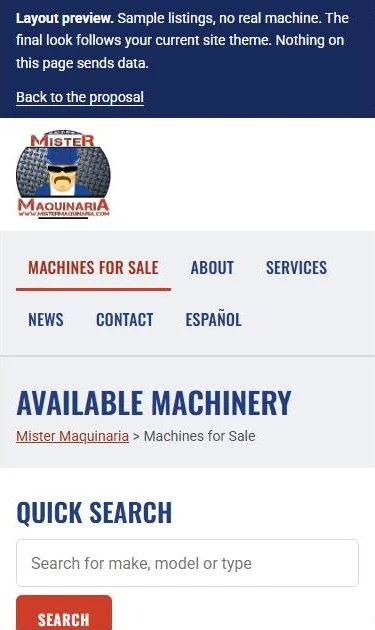
Same blue, same red, Oswald headings, your logo, your header with phone and hours. Each unit follows the way dealer marketplaces show it (I checked MachineryTrader on Nov 5): year, make and model as the title, the category, one key figure such as hours, the location, and the price or Call for price. The listings here are samples that show the layout. No real machine appears, and no button sends anything.
Layout preview. On your live site the final look follows your current theme, so small details such as spacing will differ.
03 · What the $100 covers
Included
Machines for Sale page
Cards with photo, year, hours, location and price or “Call for price”. Quick Search and the 10 categories you already use.
One page per machine
Photo gallery, specification table, your description, and a status of Available or Sold, so finished sales stay visible.
Inquiry form that works
“Ask about this machine” sends the machine name and the buyer's details to the email you choose (I propose info@mistermaquinaria.com). The Contact page gets a working form too, which clears the error above.
Call button
A tap-to-call button with +1-813-922-9840 on every machine page.
Fields on every machine
Category (your 10)
Title
Make
Model
Year
Hours
Serial number
Location
Condition
Price or Call for price
Status
Description
Photos
How you add a machine
In your WordPress panel, open Machines and press Add machine.
Fill the fields and upload the photos.
Press Publish. It appears on the page.
Whoever manages your site later finds the same Machines menu in the same panel. I also load the first 10 machines for you when you send photos and details.
Safe handling of your site
Full backup before I change anything.
I log in with a temporary administrator user of my own. You never share your password, and you delete that user when I finish.
Plugins and updates are touched only with your OK.
The Machines for Sale link in your menu keeps pointing to Mascus until you approve the switch.
Not included
Upgrading WordPress or replacing your theme
Moving listings out of Mascus automatically (I load the ones you send me)
New photos of your machines
Google ads or search optimization
Spanish: the ESPAÑOL menu is WPML. If the new section can appear there at no extra work, I include it. I tell you at the first look which way it goes.
04 · Timing
First version this weekend
Friday, Nov 6You say go
You answer in our WhatsApp chat. I send the steps to create my temporary administrator user.
Saturday, Nov 7Build
Backup, a look at your panel, the Machines section and the working form, tested with sample machines.
Sunday, Nov 8Review
I load your first machines, check phone and computer, and send you the link to look at.
What I need from you
Your OK, and the temporary administrator user for your site.
Three machines with photos and details (the fields above), so Sunday shows real units.
The email address where inquiries should arrive.
The dates assume I get access on Friday. If it arrives later, everything moves by the same number of days. The first version runs with sample machines. Your real ones go in as soon as you send photos and details.
05 · Price
$100 flat
$100one payment
Machines for Sale page with search and your 10 categories
One page per machine with specs, photos and status
Inquiry form that works, and the Contact form repaired
The Add machine screen in your panel
Your first 10 machines loaded by me
Backup and temporary access handled as described
I confirm after my first look at your panel that the section fits your site. If it does not, I tell you and you pay nothing.
Next step: reply “go” in our WhatsApp chat and I send the steps for the temporary user.
Jerry Contreras, Papelón con Limón Media, in Caracas. I design and build websites and run the local search work of a catering business in New York.
Who uploads the machines, and what if I have no photos yet?
You do, from the Add machine screen, or you send me the details and I load the first 10. A machine without photos can still be published and shows a plain “Photo coming” block until you add them.
What is the preview?
A private static page to show the layout. It carries a noindex tag so Google skips it, it has no official tie to Mister Maquinaria, and no button or form sends or stores anything.
Where do the logo and colors come from?
From your public site, read on Nov 5, 2026: your logo, the blue #233D83, the red #CD3D27, and the Oswald and Roboto fonts.
What happens to the Mascus page?
It stays as it is. Your menu keeps its current link until the new section works and you tell me to switch it.